
Seledia
Open Order & Supplier Management Software
Turn your ERP open-order export into a continuous supplier follow-up workflow.
Open Order & Supplier Management Software
Turn your ERP open-order export into a continuous supplier follow-up workflow.
Every import teaches Seledia more about your suppliers. Over time, it can alert you earlier when action is needed, recommend when to follow up and show where your planning should change.
Load your open orders from Excel or your ERP export and keep your follow-up work connected. Seledia highlights what needs attention next and shows Recommended Actions directly in the Cockpit.
Send structured supplier escalations and order-confirmation requests through Outlook. Follow up one order or a supplier's open positions in one step.
Build a clearer picture of supplier behaviour over time. Seledia evaluates delivery commitments and tracked communication and shows the evidence behind the evaluation.
As supplier history grows, Seledia can identify recurring patterns and recommend practical changes. For example, it can suggest increasing planned delivery time when a supplier repeatedly confirms later than required.
Scan Outlook for supplier replies and get AI-generated summaries per order position, helping your team keep follow-ups connected.
Use burndown charts, generate team updates, and export professional PDF and PowerPoint reports. Give management the big picture with AI-generated insights.
See how Seledia follows up open orders, learns from supplier history and supports better decisions.
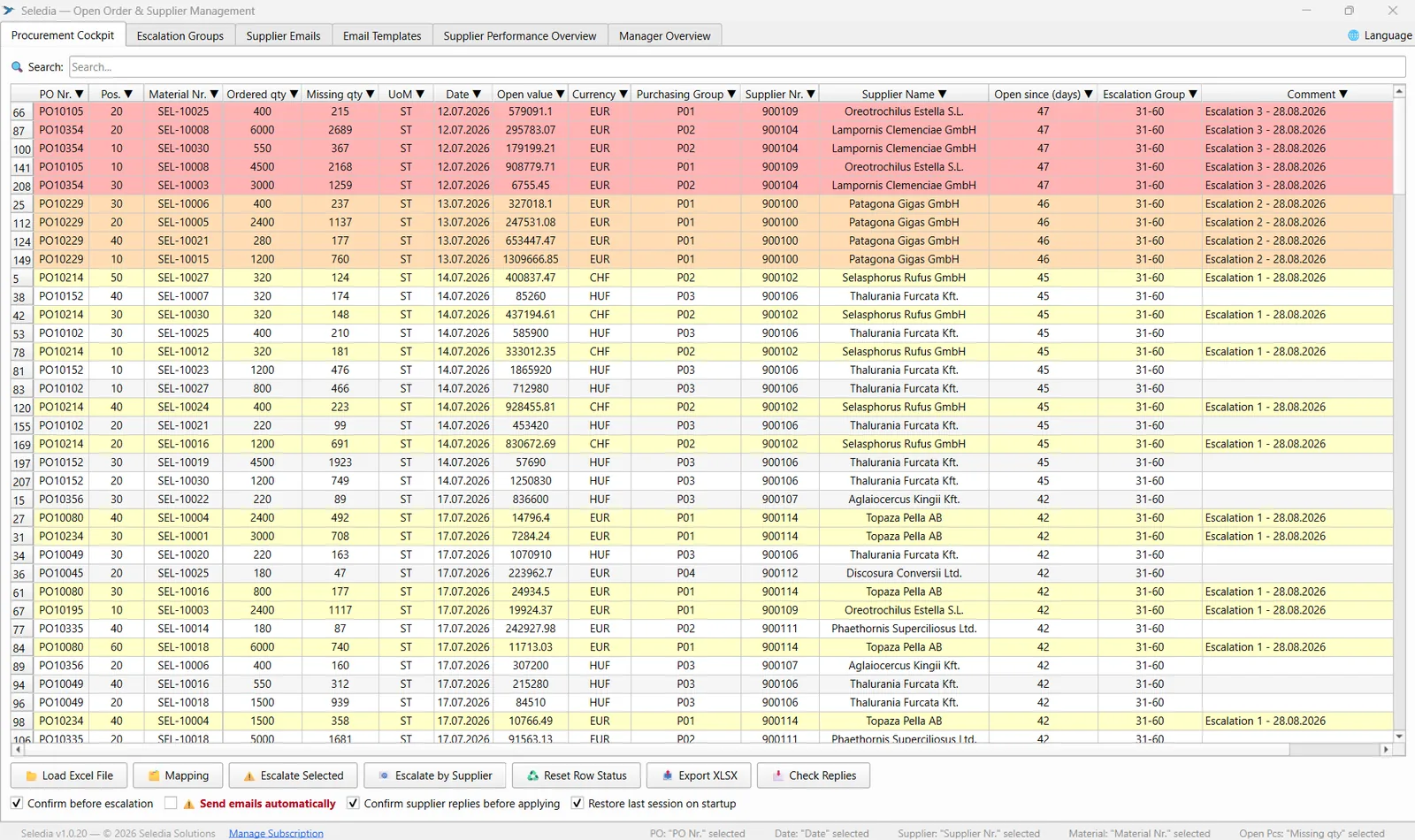
Load your ERP or Excel export and let Seledia detect the relevant columns automatically. Open positions are organised by age, and structured escalations go out through Outlook, either per order or for a supplier’s entire backlog. When the next export arrives, your previous work stays connected.
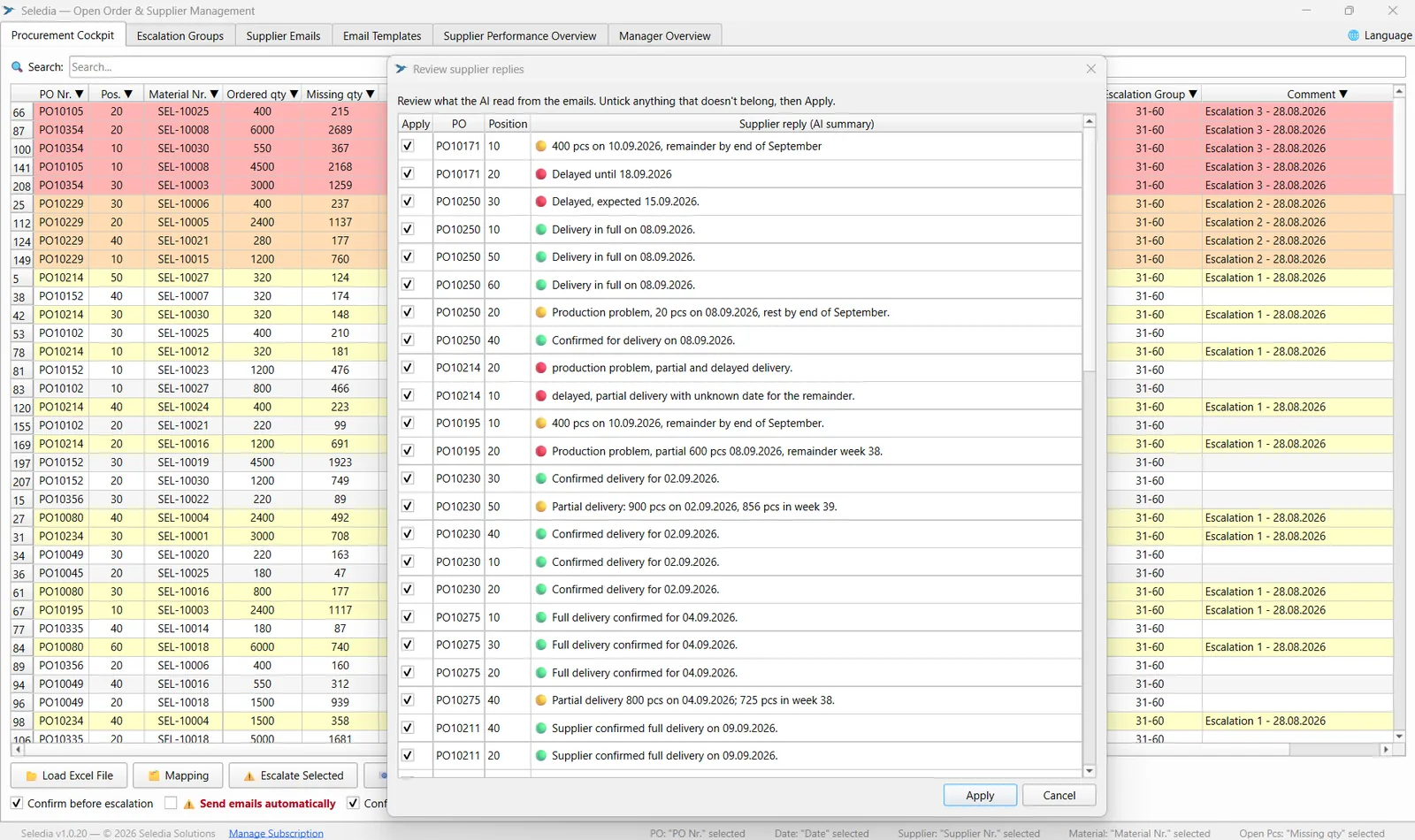
Supplier replies are read from Outlook and matched to the relevant open positions by order number, material or position. Review the suggested updates before they are applied to your positions.
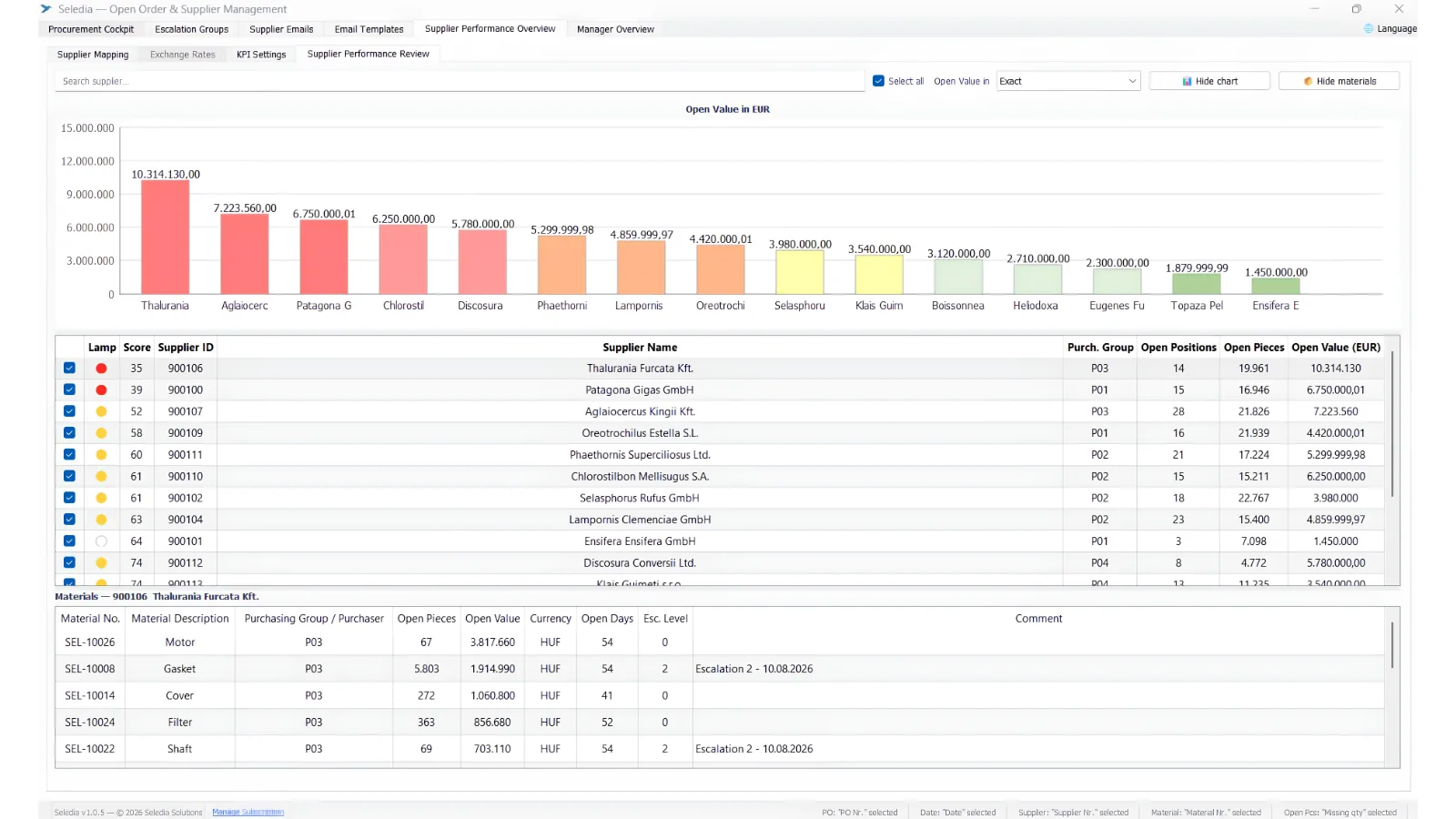
See how supplier behaviour develops over time. Seledia evaluates delivery commitments and tracked communication, shows the evidence behind the evaluation and can identify recurring patterns as the history grows. When enough evidence is available, those patterns can lead to concrete Improvement Actions.
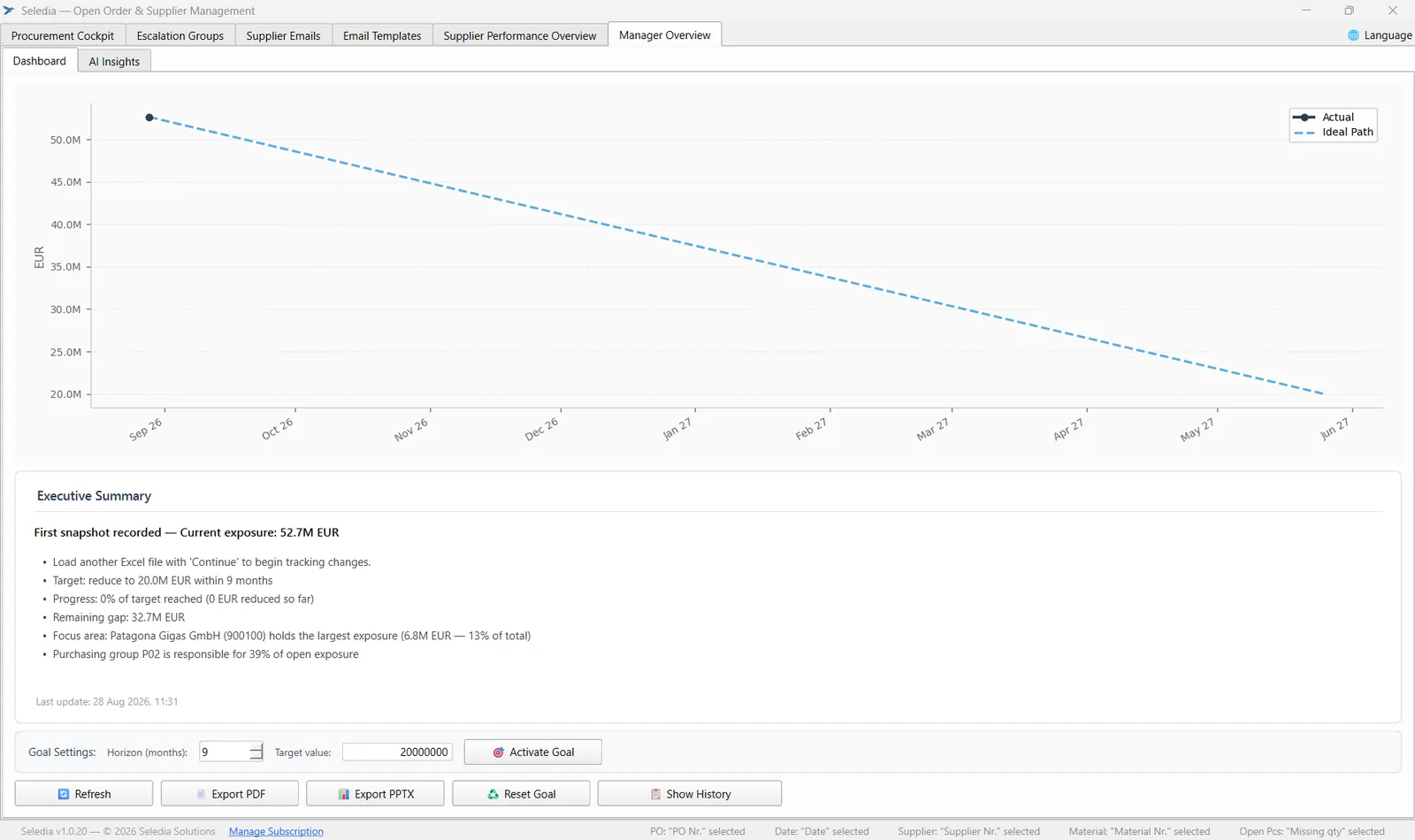
Track open positions and open value over time against the targets you define. Each new export updates the picture, making it easy to see whether the backlog is actually shrinking.
Connect your own AI provider and ask questions about your procurement data, from overdue positions and supplier risks to performance patterns and management summaries.
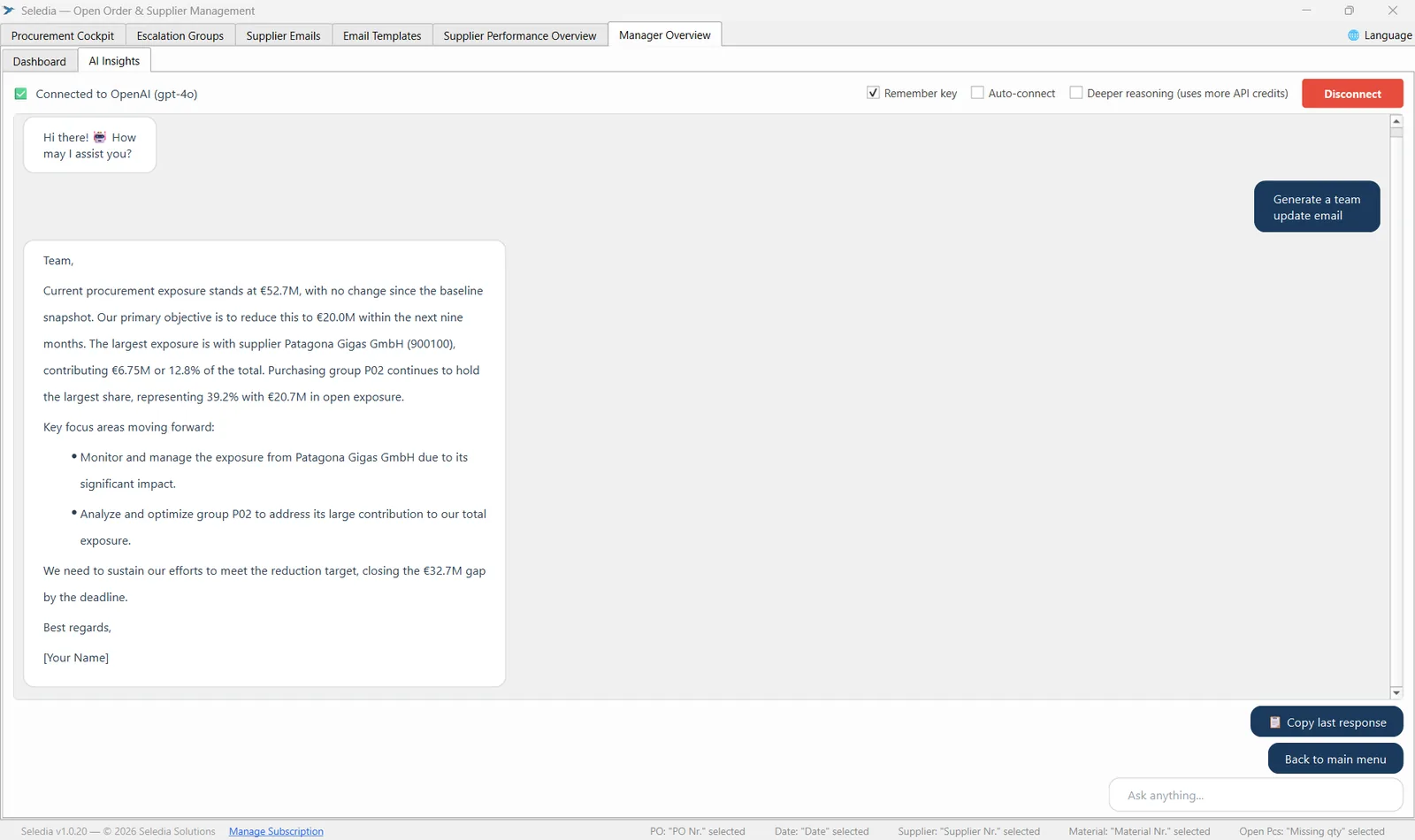
See how Seledia turns ERP or Excel open-order data into a continuous supplier follow-up process, from escalation to reply handling and performance analysis.
Import your open-order Excel file from your ERP system or your own tracking spreadsheet. Map the columns once, then load new exports anytime while your previous escalation work stays connected.
Recommended Actions show what needs attention. Send escalations or order-confirmation requests through Outlook and review supplier replies matched back to the relevant open positions.
Every new import adds to the supplier history. Over time, Seledia can alert you earlier when action is needed, evaluate recurring supplier behaviour and recommend practical changes when enough evidence is available.
No hidden fees.
Standard pricing
For 1–4 licences
Billed monthly
1-month commitment
Volume pricing
For 5–9 licences
per licence
Billed monthly
1-month commitment
System requirement: Windows 10/11 (64-bit) & MS Outlook desktop version required.
The final pricing region is determined by the country of your business establishment or billing address.
This offer is directed exclusively at businesses (Unternehmer) within the meaning of § 14 (1) of the German Civil Code (BGB).
All prices are net (excl. VAT). AI features require your own API key (OpenAI, Anthropic, Google Gemini, or Mistral).
Need 10+ licenses? Contact us for a quotation.
Seledia runs on Windows 10 and later. Automated escalation emails require the desktop version of Microsoft Outlook.
Seledia supports English, German, Hungarian, and Spanish. The full interface and all features are available in these languages. Email templates come pre-defined and can be customized to fit your own wording and tone.
Yes. Contact us to arrange a trial and test Seledia with your own open-order data before committing.
All available payment methods are shown at checkout. Payments are processed securely through Stripe.
Yes. AI features require your own API key — this is not included in your Seledia subscription. You can obtain a key directly from OpenAI, Anthropic, Google Gemini, or Mistral. The key is stored locally on your device and is never sent to us.
After completing your purchase, you will receive an email from license@seledia-solutions.com with your license key and a download link for the installer. Download and run SelediaSetup.exe, enter your license key when prompted, and the app will install and activate automatically. The entire process takes less than a minute.
You can switch from monthly to annual billing at any time via the Manage Subscription button in the app. A switch back to monthly billing takes effect at the end of your current annual term. Additional licences can be purchased at any time; individual licences can be cancelled to the end of their term in the account portal.
Visit My Account on our website and sign in with your email address. There you can view your license keys, change your plan, or cancel your subscription. Alternatively, you can make changes directly in the Seledia app via the Manage Subscription button in the status bar.
Yes. Each new import adds to the history Seledia has about your suppliers. As that history grows, Seledia can identify recurring patterns, alert you earlier when action is needed and suggest practical Improvement Actions when enough evidence is available.
Seledia's core open-order workflow, Recommended Actions, supplier evaluation and Improvement Actions do not use AI. AI is used for features such as AI Reply Analysis and AI Insights through your own connected AI API.